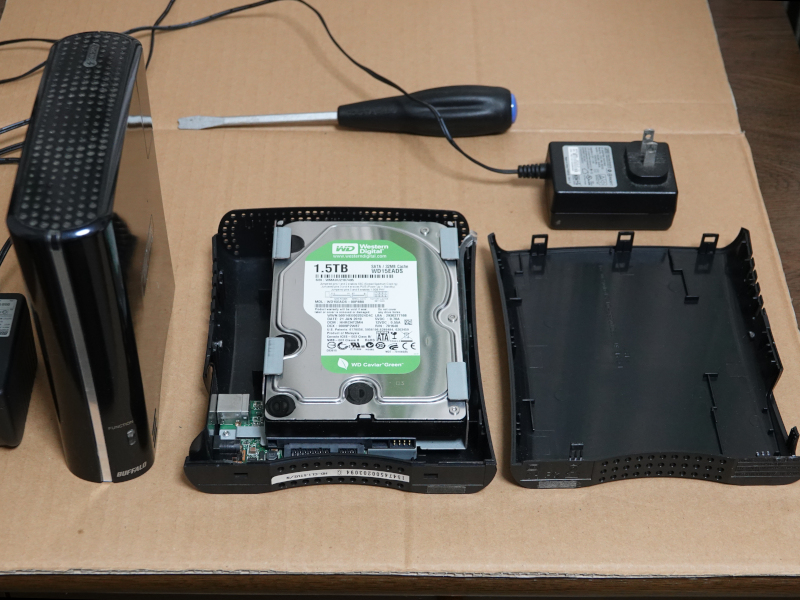
HDD (hard disk drive)
PCの補助記憶措置としてHDDが長く使われてきた。ここ10数年で磁気記録装置であるHDDは半導体メモリ装置であるSSDに急速に置き換えられてきた。HDDは高速回転する磁気円盤に記録する装置なので、長く使っていると突然エラーが出たり読み書きできなくなったりする。HDDの平均寿命は3~4年と言われている。でもPCの寿命は通常それより長い。重要なデータはバックアップされていないとHDDの故障と共に失われる。
HDDs have long been used as secondary storage for PCs. Over the past decade or so, HDDs, which are magnetic recording devices, have been rapidly replaced by SSDs, which are semiconductor memory devices. HDDs are devices that record data onto a rapidly rotating magnetic disk, so after extended use they can suddenly start to produce errors or become unable to read or write data. The average lifespan of an HDD is said to be 3 to 4 years. However, the lifespan of a PC is usually longer than that. Important data will be lost if the HDD fails if it is not backed up.
HDDの故障, Hard disk failure
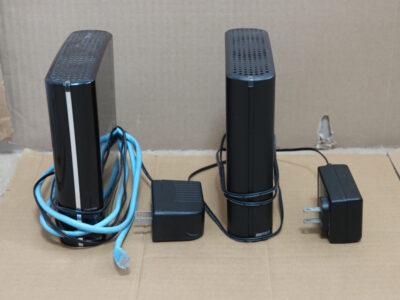
10年位前に使っていたバックアップ用のHDDの動作確認をした。写真右は普通の外付けHDD、左はNAS-HDDである。右のHDDの電源を入れてみた。全く反応しない。左のNAS-HDDに電源を入れてみた。電源ランプが点灯して内部のHDが回転する音がした。長く使用しないHDDが反応しなくなる原因は何だろう?劣化していた電源パーツが電源投入のショックで壊れた可能性がある。ファームウェアが時限設定している可能性もある。
I checked the operation of a backup HDD that I used about 10 years ago. The one on the right is a normal external HDD, and the one on the left is a NAS-HDD. I tried turning on the right HDD. It didn’t respond at all. I tried turning on the left NAS-HDD. The power light came on and I heard the sound of the internal HDD spinning. What could be the reason why an HDD that hasn’t been used for a long time stops responding? It’s possible that the deteriorated power supply parts were broken by the shock of turning on the power. It’s also possible that the firmware has set a time limit.
HDDの廃棄, Disposal of HDD
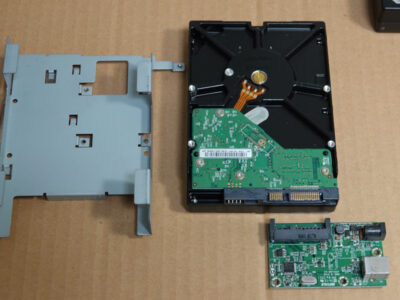
HDDの容量は年と共に増加したので、古いデータも含め新しいHDDにバックアップしてある。古いHDDは破棄しよう。市は使用済小型家電回収ボックスを設置しているのでそこに捨てればよい。内容は自己責任で消去することになっているが、電源が入らなければそれもできない。ハンマーでたたき壊せばよいと言われるが、技術者として忍びない。分解して中を見たうえで、ディスクとドライバー基盤を切り離して廃棄することにした。
The capacity of the HDD has increased over the years, so I have backed up the old data to a new HDD as well. Let’s throw away the old HDD. The city has set up a used small appliance collection box, so you can just throw it there. You are supposed to erase the contents at your own risk, but you can’t do that if the power won’t turn on. I was told that I could just smash it with a hammer, but as an engineer, I don’t want to do that. I decided to disassemble it, look inside, and then separate the disk and driver board and throw it away.