
人間は単純ミスを犯すものだ, Humans make simple mistakes.
Old HTML source
<!DOCTYPE html PUBLIC "-//W3C//DTD XHTML 1.0 Transitional//EN" "http://www.w3.org/TR/xhtml1/DTD/xhtml1-transitional.dtd">
<html xmlns="http://www.w3.org/1999/xhtml">
<head>
<meta http-equiv="Content-Type" content="text/html; charset=shift_jis" />
<title>ウグイス, Horornis diphone</title>
<link href="../css/webpagebase03.css" rel="stylesheet" type="text/css" />
</head>
これをHTML5に更新すると以下のようにすっきりする。
If you update this to HTML5, it will look cleaner as shown below.
HTML5 source
<!doctype html>
<html lang="ja">
<head>
    <meta charset="UTF-8">
    <title>ウグイス, Horornis diphone</title>
    <link href="../css/layout_basic1col.css" rel="stylesheet" type="text/css">
</head>
留意点, Points to remember
- 上記のようにheadタグ以前の部分を書き換える。
- ページをUTF-8文字コードに指定して保存する。
単純作業だが、多くのページの更新作業をすると次のようなミスを犯す。
文面は上記のように更新しても、保存する時にShift_JISのまま保存する。
このミスは、ページをブラウザで表示すると日本語文字が文字化けするのですぐ分かる。
- Rewrite the part before the head-tag as above.
- Specify the UTF-8 character code and save the page.
Although it is a simple task, when updating many pages, the following mistakes are made.
Even if the text is updated as above, it will be saved as Shift_JIS when saving.
This mistake can be easily seen because the Japanese characters appear garbled when the page is viewed in a browser.
単純ミス, Simple mistakes
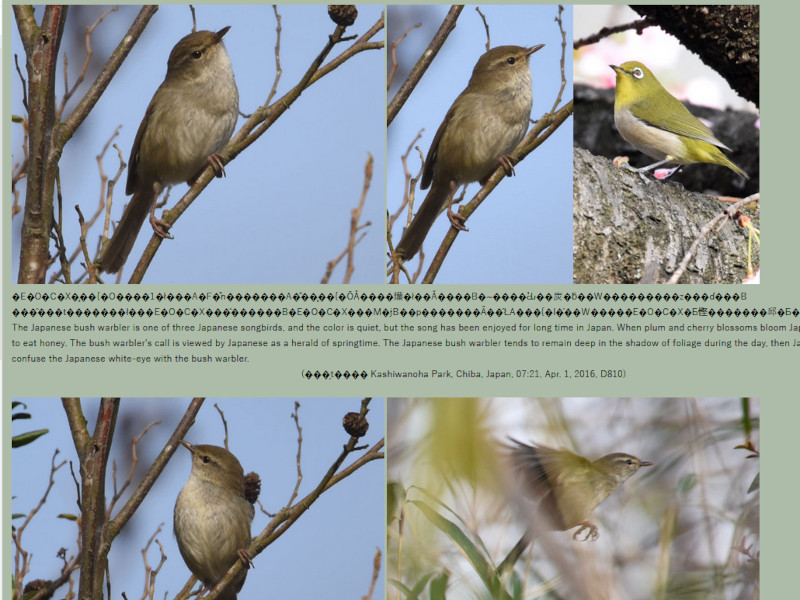
日本の野鳥の旧HTMLページをHTML5に更新した時は、52頁の更新作業をした時、CSSの指定ミス2頁、Shift_JISのまま保存したミスが1頁あった。人間は単純ミスを犯すものだ。
When I updated the old HTML page for Japanese wild birds to HTML5, when I updated 52 pages, there were 2 pages with CSS specification errors and 1 page with errors in saving as Shift_JIS. Humans make simple mistakes.